AI Images for Game Developers: Generate Concept Art, Environment Assets, and Characters in 2026

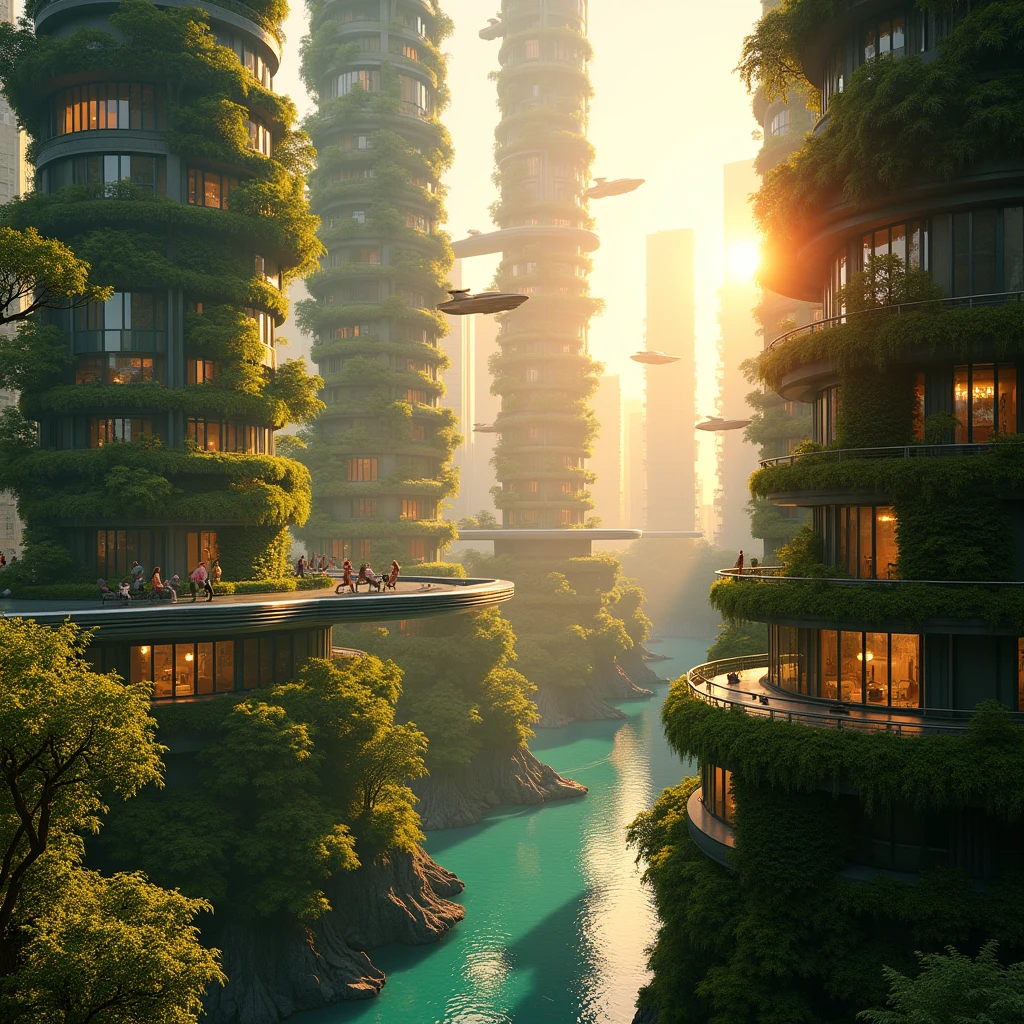
Why Game Developers Are Turning to AI Image Generation
For indie developers, the art bottleneck has always been the single biggest obstacle between a good game idea and a finished, shippable product. Writing game mechanics is a skill most developers have. Designing, illustrating, and producing dozens or hundreds of cohesive art assets is a completely different discipline — one that either requires hiring artists or a multi-year personal commitment to developing illustration skills.
AI image generation is not a magic button that eliminates all art production work. But it fundamentally changes the math. Concept art that would take a freelance artist two days to produce can now be explored in an afternoon. Environment moodboards that used to require reference collection and hours of Photoshop work are now a prompt session. Character design iterations that would cost hundreds in artist revisions happen in minutes.
This guide covers how to use ZSky AI's advanced AI image generation effectively across the specific use cases that matter most to game developers: concept art, environment design, character generation, UI mockups, and marketing materials.
Understanding the Two Models: FLUX vs. SDXL for Game Art
ZSky AI gives you access to two different image generation models. Understanding when to use each one matters for game development:
FLUX: Best For
- High-detail character portraits and character concept sheets
- Environment art with complex lighting and atmospheric effects
- Photorealistic and semi-photorealistic game art styles
- Marketing illustrations and key art for store pages and trailers
- Texture source material for 3D asset creation
FLUX excels at following complex compositional prompts and maintaining fine detail in faces, fabrics, and intricate architectural elements. It handles cinematic lighting descriptions particularly well, making it the preferred choice for any game art requiring dramatic or atmospheric visual quality.
SDXL: Best For
- Painterly concept art in traditional illustration styles
- Stylized character designs with exaggerated proportions
- 2D game environment backgrounds
- Icon and item concept exploration
- UI element source art
SDXL handles stylized, non-photorealistic art directions more naturally and is particularly effective when your game targets a distinctive illustrated look rather than photorealism.
Concept Art and Pre-Production Use Cases
Character Concept Exploration
Before committing time to rigging and animating a character, AI image generation lets you explore dozens of visual directions in a fraction of the time. Generate multiple takes on the same character brief:
"Fantasy warrior woman in battle-worn plate armor, late 30s, weathered face with a scar across her left cheek, amber eyes, short dark hair, holding a war hammer, standing in dramatic three-quarter pose, concept art style, detailed character sheet, dark fantasy aesthetic, muted earth tones"
"Futuristic hacker character, male, early 20s, wearing a patched-up cyberpunk jacket covered in LED strips, mechanical arm prosthetic with visible circuitry, neon-lit environment background, concept art, video game character design, cyberpunk color palette"
Generate 6-10 variations by changing one or two key descriptors each time. This exploration process would cost hundreds of dollars in freelance revisions; with AI you can do it before your morning coffee is finished.
Environment Moodboarding
Environment art sets the visual tone of your entire game world. Use AI to establish the look before expensive production work begins:
"Ancient underground temple filled with bioluminescent plants growing through stone ruins, glowing blue and purple fungi on carved walls, shafts of light from a collapsed ceiling, atmospheric fog, concept environment art, RPG game environment, dark and mysterious"
"Floating island city above the clouds, colorful airships docked at stone platforms, waterfalls flowing off the edges into mist below, warm golden light, fantasy steampunk aesthetic, sweeping panoramic view, video game environment concept art"
"Post-apocalyptic suburban neighborhood, overgrown with vines and wildflowers, cars rusted and buried in grass, evening light, safe and melancholic atmosphere, survival game environment art, muted color palette"
Prop and Item Design
Generate individual prop and item concepts for inventory systems, loot tables, and world-building:
"Magic staff weapon design, carved from dark wood, crystal orb at the top glowing with purple energy, ancient runes carved along the shaft, isolated on white background, game item concept art, multiple angles shown"
"Potion bottle item design, small glass vial containing swirling red liquid, golden stopper, ornate label, isolated on white, 2D RPG game item sprite concept, clean vector-adjacent style"
Character Art for Different Game Styles
Pixel-Art Adjacent Generation
While true pixel art requires post-processing to align to a pixel grid, AI can generate stylized low-complexity character concepts that translate well into pixel art:
"Simple flat character design, wizard with a tall hat and flowing robe, blue color scheme, thick black outlines, cartoon style, minimal detail, suitable as pixel art reference, white background"
Visual Novel and 2D RPG Characters
"Visual novel character design, young woman in a school uniform, friendly expression, clean anime-adjacent illustration style, soft shading, white background, full body, suitable for dialogue portrait"
"JRPG hero character design, teenage boy with spiky silver hair, red coat, determined expression, standing pose showing full outfit, detailed character art, warm lighting, white background"
Horror and Dark Genre Characters
"Horror game monster design, tall gaunt humanoid figure with elongated limbs and featureless white face, tattered dark clothing, standing in a dark corridor, atmospheric horror game concept art, unsettling and disturbing"
UI and Menu Art Generation
Game UI elements — title screens, loading screens, menu backgrounds, inventory frames — are often produced late in development when budgets are tight. AI generation gives these the visual quality they deserve:
"RPG game title screen background, dramatic mountain landscape at twilight, ancient ruins in the foreground, torch light, moody and epic atmosphere, widescreen 16:9 composition, suitable for game title screen"
"Game inventory UI background panel design concept, dark leather texture with ornate gold border filigree, medieval fantasy aesthetic, flat design with depth, dark corners, suitable for 2D RPG inventory screen"
"Loading screen illustration, silhouette of an adventurer standing at the edge of a cliff overlooking a vast fantasy landscape, dramatic sunset, epic scale, 16:9 widescreen game loading screen art"
Marketing Art and Store Page Assets
Your Steam page, itch.io listing, or App Store page needs key art that sells your game at a glance. AI-generated key art can be compelling enough to drive wishlist additions and downloads:
Capsule and Key Art Prompts
"Epic game key art illustration, three heroes facing an enormous dragon, dramatic backlighting, fantasy RPG, cinematic composition, painterly style, suitable for game store page key art, horizontal format"
"Indie horror game promotional art, isolated old farmhouse on a dark hill, full moon behind storm clouds, single light in an upstairs window, atmospheric and foreboding, marketing illustration"
Social Media and Announcement Graphics
Combine AI-generated art with AI video from ZSky AI to create announcement trailers and social posts. An animated version of your key art makes for compelling announcement content on Twitter/X, TikTok, and YouTube:
"Animate this game environment illustration with subtle atmospheric effects: gentle wind moving through the grass, distant torch flames flickering, stars slowly rotating in the sky, atmospheric game world reveal"
Workflow Integration: AI Art in a Game Development Pipeline
Here is how to integrate AI image generation efficiently into different phases of game development:
Pre-Production (Prototype Phase)
Use AI for all placeholder art during prototyping. Generate rough character silhouettes, environment concepts, and UI mockups quickly so the team can test gameplay with visually coherent placeholders. This prevents the "programmer art" problem while keeping production costs low.
Production (Asset Creation Phase)
Use AI to accelerate concept approval cycles. Instead of waiting for an artist to produce three versions of a character for art direction approval, generate 10 AI concepts, select the direction, then hand off the single approved direction to your artist for final production. This significantly reduces revision rounds.
Post-Production (Polish Phase)
Generate additional environmental story beats, background characters, and ambient details that enrich the world without stretching your art budget. A richly detailed world feels higher production value than a sparse one; AI makes adding those details affordable.
Maintaining Visual Consistency Across AI-Generated Assets
The biggest challenge in using AI for game art is maintaining a coherent visual language across many assets. Here are techniques that work:
- Build a style prompt library: Write a master style descriptor string and include it in every prompt. Something like "concept art style, muted earth tones, cinematic lighting, dark fantasy aesthetic, painted texture, detailed" applied consistently ties all assets together visually.
- Generate key art first: Start with your most important character or environment piece. Use it as an image-to-image reference for all related assets to inherit the color palette and rendering style.
- Document your color palette: Capture the hex values from your best AI-generated pieces and reference them explicitly in subsequent prompts when color accuracy matters.
- Post-process for consistency: Apply the same color grading layer to all AI-generated assets in Photoshop before they go into the engine. A subtle unified color grade visually harmonizes assets generated in different sessions.
See our full AI for game developers toolkit for character art, environments, and game asset generation.
Frequently Asked Questions
Can AI-generated images be used as final game assets?
AI-generated images can be used as final assets in many contexts including concept art reference, background art, UI elements, and texture source material. For game-ready sprites and 3D textures, AI output typically requires post-processing to achieve proper technical specifications. AI is best treated as a rapid iteration and ideation layer that feeds into your final asset pipeline.
What is the best AI image generator for game concept art?
advanced AI are both strong choices for game concept art, each with different strengths. FLUX produces highly detailed outputs ideal for character portraits and environment moodboards. SDXL handles stylized art directions well and produces more painterly results. ZSky AI provides access to both models.
How do I maintain visual consistency across AI-generated game assets?
Build a detailed style brief and include style-defining keywords in every prompt. Use one or two reference images consistently as image-to-image seeds. Generate your core character or environment piece first, then build all related assets using it as a reference to lock in the visual language.
Can I use AI images for a game I plan to sell commercially?
ZSky AI generates images you own and can use commercially. Always review the terms of service for any AI platform you use to confirm commercial licensing. The legal landscape around AI-generated art continues to evolve, so staying current with platform terms is advisable for commercial game projects.
What AI image styles work best for different game genres?
For RPGs and fantasy, painterly digital illustration styles work well. For horror, dark atmospheric photography-based styles. For sci-fi, hard-surface concept art with dramatic lighting. For casual games, flat cartoon or vector-adjacent styles. Prompt the specific style by referencing art movements or describing the rendering technique.
How does AI image generation fit into a professional game development studio workflow?
In professional studios, AI image generation is used primarily in pre-production for rapid concept exploration, mood boarding, and communicating visual direction before committing artist time. Solo developers and small indie teams use it more broadly across the entire production pipeline.
Build Your Game's Visual World With AI
Generate concept art, environment designs, character references, and marketing key art with advanced AI. Free to start, with only a small ZSky wordmark on free output.
Start Generating Free →Related read: Free AI Art for Game Developers (Assets and Concepts).
Related read: How to Make Game Assets with AI (Free Sprites and Tiles).