AI Video Prompts: How to Write Prompts for AI Video Generation
Start Creating FreeThe Fundamental Difference Between Video and Image Prompts

If you have written prompts for AI image generators, you already have most of the foundation you need for AI video. But video introduces an entirely new dimension that image prompts never deal with: time. An image prompt describes a single frozen moment. A video prompt must describe how a scene unfolds over time, including subject motion, camera movement, atmospheric changes, and the overall temporal flow of the scene.
This temporal dimension changes everything about how you structure a prompt.An excellent image prompt like "a lighthouse on a rocky cliff at sunset, dramatic waves, golden light" produces a beautiful static image.But fed to a video generator, it produces a nearly static clip with maybe some subtle wave movement.
To get a compelling video, you need to add the motion layer: "Waves crashing dramatically against the rocky cliff base, spray rising and catching the golden sunset light, camera slowly pulling back to reveal the full lighthouse, seabirds circling the tower, clouds drifting across the sky."
The difference is explicit motion description at every level: the environment moves, the subjects move, and the camera moves. Without these instructions, AI video generators default to minimal, often awkward motion that makes the output look like a barely animated photograph rather than a real video. This guide teaches you to write prompts that produce genuinely cinematic AI video using ZSky AI or any other text-to-video platform.
The Anatomy of an AI Video Prompt
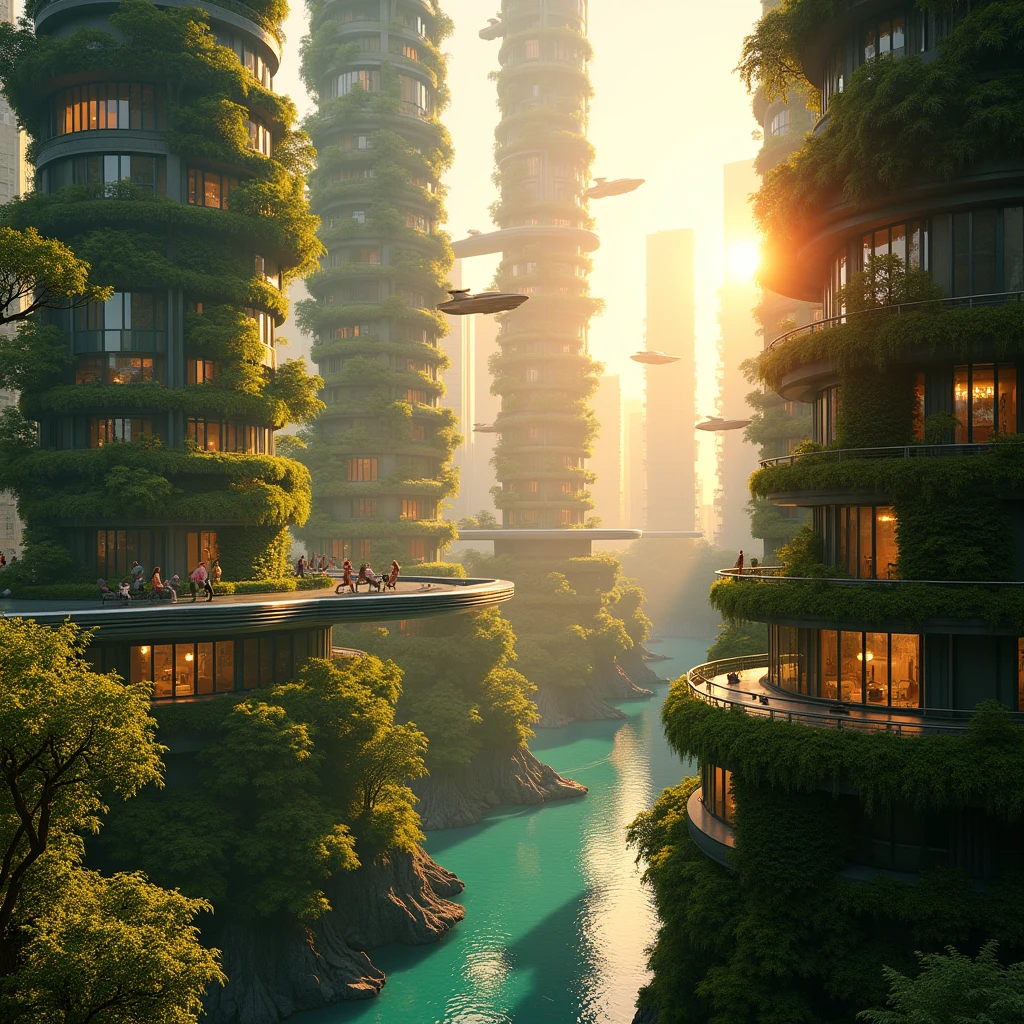
Every effective AI video prompt contains five layers of information. Missing any one of these layers produces noticeably weaker results. Here is the complete structure:
Layer 1: Scene Description
This is the same as an image prompt. Describe the environment, lighting, time of day, weather, and overall atmosphere. Be specific and visual. "A narrow cobblestone alley in Venice at dusk, warm light from restaurant windows, reflections on wet stone, fog rolling in from the canal" sets the visual foundation.
Layer 2: Subject and Action
Describe who or what is in the scene and what they are doing. Use active verbs and continuous present tense: "A woman in a red dress walking slowly toward the camera, her reflection rippling in the wet cobblestones, pausing to look at a shop window." Continuous action descriptions produce the smoothest motion.
Layer 3: Camera Movement
Specify how the camera moves through or around the scene. Use real cinematography terms: dolly, pan, tilt, tracking shot, crane shot, steadicam, orbit. "Camera slowly dollying forward through the alley, keeping the woman centered in frame" gives the AI a clear instruction for camera behavior.
Layer 4: Temporal Flow
Describe how things change over the duration of the clip. Does the lighting shift? Do new elements enter the frame? Does the mood change? "The fog gradually thickens as the camera advances, obscuring the distant end of the alley" adds temporal progression that makes the video feel alive and intentional.
Layer 5: Style and Quality
Specify the cinematic style, film stock, color grade, and quality markers. "Cinematic, shot on ARRI Alexa, anamorphic lens, warm color grade, shallow depth of field, 24fps" tells the model exactly what visual aesthetic to target.
Camera Movement Keywords That Actually Work

Camera movement is the single most important element that separates a boring AI video from a cinematic one. Here is a comprehensive reference of camera movement terms that current AI video generators understand and render effectively:
| Camera Movement | What It Does | Best Used For | Example Prompt Language |
|---|---|---|---|
| Dolly In | Camera physically moves toward subject | Building tension, revealing detail | "camera slowly dollying in toward the subject's face" |
| Dolly Out / Pull Back | Camera physically moves away from subject | Revealing context, establishing scale | "camera pulling back to reveal the vast landscape" |
| Pan Left / Right | Camera rotates horizontally on a fixed point | Following action, surveying a scene | "camera panning slowly from left to right across the skyline" |
| Tilt Up / Down | Camera rotates vertically on a fixed point | Revealing height, dramatic reveals | "camera tilting upward from the base to the top of the skyscraper" |
| Tracking Shot | Camera moves alongside a moving subject | Following characters, dynamic action | "tracking shot following the runner from the side" |
| Orbit / Arc | Camera circles around the subject | Hero shots, product reveals, drama | "camera orbiting slowly around the sculpture" |
| Crane Up / Down | Camera moves vertically through space | Establishing shots, dramatic reveals | "crane shot rising above the treeline to reveal the valley" |
| Zoom In / Out | Changes focal length without moving camera | Drawing attention, isolation | "slow zoom into the character's eyes" |
| Steadicam / Handheld | Smooth or slightly shaky human-operated camera | Immersive feel, documentary style | "steadicam following the character through the crowd" |
| Aerial / Drone | Camera moves from elevated position | Establishing shots, landscapes | "aerial drone shot sweeping over the coastline" |
The key rule: use only one primary camera movement per generation. Combining "pan left while dollying in and tilting up" confuses most AI models and produces inconsistent results. Choose your single most impactful camera movement and commit to it.
Complete Video Prompt Examples by Category

Here are fully constructed video prompts across popular categories. Each demonstrates the five-layer structure in action. Copy and modify these for your own projects.
Cinematic Landscape Videos
Urban and Street Videos
Product and Commercial Videos
Fantasy and Sci-Fi Videos
Temporal Keywords and Scene Progression
One of the most overlooked aspects of video prompting is describing how the scene changes over time. These temporal keywords help AI video generators create clips with a sense of progression rather than static repetitive motion.
Time Progression Keywords
- "gradually" - Signals smooth continuous change: "the fog gradually lifts to reveal the mountain"
- "transitioning from... to..." - Signals a shift: "sky transitioning from deep blue to golden orange"
- "revealing" - Signals something becoming visible: "camera rising and revealing the city below"
- "emerging" - Signals appearance: "the sun emerging from behind the clouds"
- "intensifying" - Signals building energy: "the storm intensifying with stronger winds and heavier rain"
- "fading" - Signals diminishing: "the last light fading from the horizon"
- "as the camera moves..." - Links camera motion to scene changes: "as the camera pulls back, more of the landscape is revealed"
Building a Narrative Arc in Short Clips
Even a 5-second video clip benefits from a beginning, middle, and end. Structure your prompt to describe a mini narrative:
Middle: "...the petals slowly unfurling and opening to reveal the vibrant interior..."
End: "...a butterfly landing gently on the fully opened flower. Timelapse, macro photography, nature documentary quality."
This three-part structure produces clips that feel intentional and watchable rather than random and looping. Even if the AI does not perfectly follow the temporal sequence, framing your prompt this way consistently produces more dynamic and engaging video output.
Common Video Prompt Mistakes and How to Fix Them
Mistake 1: No Motion Description
The most common mistake is writing an image prompt and expecting dynamic video output. "A beautiful sunset over the ocean, cinematic quality" will produce a nearly static clip with maybe some subtle water shimmer. Fix this by adding explicit motion: "Waves rolling toward shore in slow motion, golden sunset light reflecting on each wave, camera slowly panning across the horizon, seabirds gliding across the frame, clouds drifting, cinematic quality."
Mistake 2: Too Many Camera Movements
Writing "camera panning left while zooming in and tilting upward with a slight orbit" confuses the AI. Each conflicting instruction cancels out the others, producing jerky, confused camera behavior. Fix this by choosing one dominant camera movement: "Camera slowly panning left across the scene" and nothing else. Simplicity produces smoothness.
Mistake 3: Describing Multiple Scenes
Writing "Start with a close-up of a face, then cut to a wide shot of the city, then show a car chase" describes a multi-shot sequence that current AI video generators cannot produce in a single generation. Each generation produces one continuous shot. Fix this by describing one continuous shot per generation and editing the clips together afterward. For multi-shot projects, see our guide on how to make AI videos.
Mistake 4: Ignoring Physics
AI video models understand basic physics but struggle with complex interactions. "A glass falling off a table and shattering into a thousand pieces" involves collision physics, material fracturing, and particle dynamics that are extremely challenging for current models. Fix this by focusing on simpler, more fluid motions: flowing water, wind effects, walking, flying, rotating. Complex physical interactions will improve as the technology matures.
Mistake 5: Vague Speed Instructions
Not specifying the speed of motion leads to inconsistent results. "A person running" could be jogging, sprinting, or running in slow motion. Fix this by being explicit: "A person sprinting at full speed, captured in dramatic slow motion at 120fps." Speed context helps the AI calibrate the temporal dynamics of every element in the scene.
Prompt Templates by Use Case
Here are templates you can fill in for common video use cases. Replace the bracketed sections with your specific details.
Social Media Content
Product Showcase
Cinematic B-Roll
Nature Documentary
For more ready-to-use video prompt examples, see our collection of best AI video prompts for 2026. For a comparison of the top video generation platforms, read our best AI video generators guide.
Audio Prompts: Writing Prompts for Video with Sound
A major advancement in AI video generation is the ability to produce video with synchronized audio. ZSky AI now generates ambient sounds, environmental audio, and scene-matched sound effects alongside your video clips, eliminating the need for separate audio sourcing or manual sound design.
When writing prompts for video with audio, you can include audio-specific descriptions to guide the sound generation. Here are techniques and examples that produce the best audio results:
Audio Description Keywords
- Ambient sounds: "sounds of a busy cafe," "quiet forest ambience," "distant city traffic," "ocean waves in the background," "rain on a rooftop"
- Impact sounds: "footsteps on cobblestone," "thunder rumbling," "door creaking open," "glass clinking"
- Musical tones: "soft piano in the background," "cinematic orchestral score," "upbeat electronic music," "acoustic guitar melody"
- Voice and speech: "crowd murmuring," "distant laughter," "announcements echoing in a train station"
Audio Prompt Examples
The key to great audio prompts is specificity. Instead of "background noise," describe the exact sounds you want: "coffee machine hissing, spoons stirring, and muffled conversation." ZSky AI's audio generation responds to these detailed descriptions, producing a soundtrack that feels natural and synchronized with the visual content. For a complete guide, read our AI video with audio guide.
Frequently Asked Questions
How are AI video prompts different from AI image prompts?
AI video prompts require everything an image prompt needs plus temporal and motion elements.An image prompt describes a single frozen moment.A video prompt must describe how that scene changes over time: how subjects move, how the camera moves, how lighting shifts, and how the scene transitions.
You need to include motion verbs like "walking slowly," "camera panning left," "wind blowing through hair," and "clouds drifting across the sky." Without these motion descriptors, AI video generators will produce static or barely moving scenes.
What camera movements can I specify in AI video prompts?
Most AI video generators understand standard cinematic camera movements including: pan left or right, which rotates the camera horizontally; tilt up or down, which rotates vertically; dolly in or out, which moves the camera toward or away from the subject; tracking shot, which follows a moving subject; crane shot, which moves the camera vertically through space; orbit shot, which circles around a subject; zoom in or out, which changes focal length; and steadicam, which produces smooth handheld movement.
Using specific cinematography terms produces much better results than vague directions.
How long should an AI video prompt be?
AI video prompts should typically be between 30 and 100 words. Shorter prompts lack enough information for the model to produce coherent motion and scene detail. Longer prompts can overwhelm the model and lead to confused or inconsistent output. The sweet spot is a prompt that covers the scene description in one to two sentences, the motion or action in one to two sentences, and the camera movement and style in one sentence. Keep each element clear and avoid contradictory instructions.
Can AI video generators handle complex scene transitions?
Current AI video generators handle simple transitions better than complex ones.Gradual transitions like slow zooms, smooth pans, and gentle lighting changes work reliably.Abrupt scene changes, jump cuts, and complex multi-scene narratives are still challenging for most models.
For best results, keep each video generation focused on a single continuous scene with one primary camera movement.If you need scene transitions, generate individual clips and edit them together using video editing software.
What resolution and frame rate should I expect from AI-generated video?
As of 2026, most AI video generators produce video at 720p or 1080p resolution at 24 to 30 frames per second.Premium models can generate at 4K resolution.Video duration typically ranges from 3 to 10 seconds per generation, with some models supporting up to 16 seconds.Frame rates are generally locked at 24fps for cinematic output.
For longer videos, generate multiple clips and combine them in editing.ZSky AI supports up to 1080p generation with options for different aspect ratios and durations.
How do I make AI video look more cinematic?
To achieve cinematic quality in AI video, include specific film terminology in your prompt: mention aspect ratios like "anamorphic 2.39:1 widescreen," lighting styles like "cinematic three-point lighting," camera equipment like "shot on ARRI Alexa," and film stock references like "Kodak Vision3 500T film stock." Add atmospheric elements like "volumetric lighting, lens flare, shallow depth of field, film grain." Specify slow, deliberate camera movements rather than fast or erratic ones.
Cinematic AI video benefits from simplicity, so focus on one elegant camera movement with one compelling subject.
What are the best AI video generators in 2026?
The leading AI video generators in 2026 include Runway Gen-3, Pika Labs, Kling AI, Luma Dream Machine, and ZSky AI.
Each has different strengths: Runway excels at motion control and professional features, Pika offers creative flexibility, Kling produces high-quality longer clips, Luma specializes in 3D-aware generation, and ZSky AI provides an accessible all-in-one platform for both video and image generation with competitive quality.
The best choice depends on your specific needs, budget, and the type of video content you want to create.
Start Generating AI Videos Now
Apply the prompt techniques from this guide and create stunning AI video clips with ZSky AI. From cinematic landscapes to product showcases, your words become video.
Start Creating Free →Related read: 100 AI Portrait Prompt Examples (Copy & Paste).
Related read: 10 AI Prompt Formulas That Always Work.
Related read: The Best Free AI Video Tools for YouTubers in 2026.