AI Video Editor Online — Free, No Download (2026)
Quick Answer: Best Free AI Video Editor Online (2026)
ZSky AI is a free AI video editor that runs in your browser — no download, no subscription required, no credit card required. It covers both halves of the job: a real multi-track timeline for trimming, splitting, transitions and frame-accurate MP4 export, and a generator that creates new footage from text or image prompts with synchronized audio. Generation is unlimited on the free tier. Lipsync, keyframe animation and first-frame/last-frame control are included.
Traditional video editors assume you already have footage. You film something, import it, cut it, add transitions, export. That workflow hasn’t changed in 20 years.
AI video editors in 2026 work differently. You describe what you want — a scene, a mood, a camera movement — and the AI creates the video from scratch. No camera. No stock footage library. No timeline filled with clips you’re trying to splice together.
That’s the shift. AI video editing isn’t about trimming clips faster. It’s about generating the footage itself.
Is there a genuinely free online AI video editor?
Yes — but check which half of the job the tool actually does. Most results for this search are one of two things: a timeline editor that needs footage you already shot, or a generator that hands back a watermarked clip with no way to trim it. ZSky AI runs both in the browser at no cost — a multi-track timeline with trim, split, transitions and frame-accurate MP4 export, plus unlimited text-to-video and image-to-video generation with synchronized audio. There is no download and no card. The limits are worth knowing up front: free clips are HD and run about five seconds, and free output carries a small ZSky wordmark plate. Longer clips, 4K and plate removal are what the paid plans buy.
What AI Video Editing Actually Means in 2026

The phrase “AI video editor” covers two very different things, and most tools only do one of them:
Category 1: AI-assisted traditional editing. Tools like CapCut, Veed, and Canva Video use AI for auto-captions, background removal, smart cuts, and color correction. You still need existing footage. The AI speeds up the editing process, but it doesn’t create anything new.
Category 2: AI video generation. Tools in this group create video from text descriptions or still images. There is no existing footage — the model generates the visuals, camera motion, and audio from your prompt. This is a fundamentally different capability.
If you’re searching for an “AI video editor online free,” you probably want one of these:
- Create a video for social media without filming anything
- Turn a product photo into a cinematic clip
- Trim, split, and sequence clips you already have
- Generate marketing videos without hiring a videographer
- Produce educational or explainer content from a text description
Most tools force you to pick a category. ZSky AI ships both: a browser timeline editor for the cutting work, and a generator for the footage itself. The next two sections cover each side in turn.
The ZSky Browser Timeline Editor
The ZSky video editor is a conventional non-linear editor that happens to run in a browser tab. It is free, needs no subscription required, and installs nothing.
- Multi-track timeline — layer video, images, and audio, and drag clips into place.
- Trim, split, and transitions — the standard cutting toolkit, with keyframes for movement and opacity.
- GPU colour grading — grading runs on your own graphics hardware through the browser, so scrubbing stays responsive.
- Frame-accurate export — MP4 or AV1 out, encoded locally rather than queued on a server.
Because it sits alongside generation, the two halves compose: generate a shot from a prompt, drop it on the timeline next to footage from your phone, cut between them, and export one file. That round trip is the reason this page exists — most free tools make you export from one product and import into another.
For stills, the same idea applies. The free photo editor gives you 15 professional adjustments — exposure, contrast, curves, colour grading, tone — rendered in the browser with WebGL, again with no subscription. A background remover and 15 other free tools sit next to it.
ZSky AI’s Video Capabilities
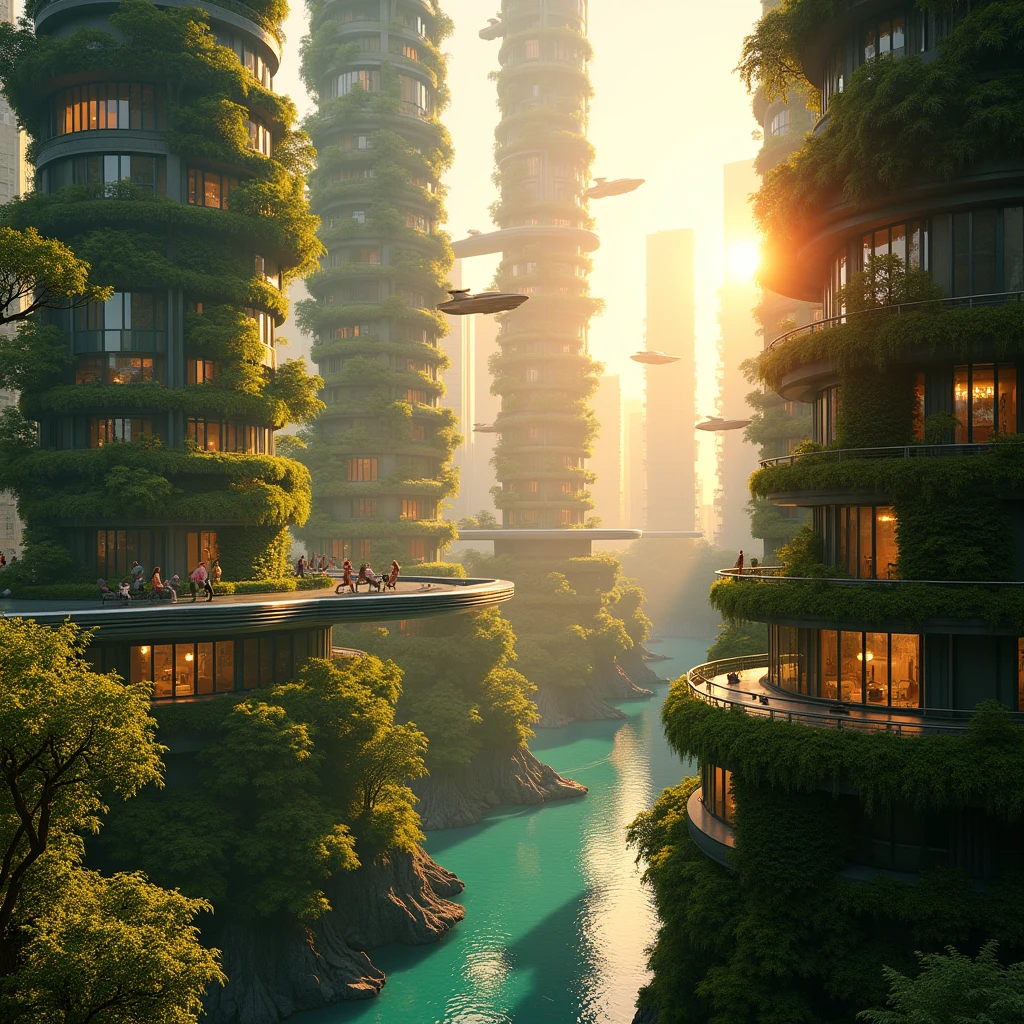
ZSky AI is a browser-based AI video generation platform. Here’s what it can do:
Text-to-Video
Describe a scene in plain language and the AI generates an HD video with matching audio. You write “drone shot of a coastal village at golden hour, waves crashing, seagulls, warm ambient music” and get exactly that — visuals, camera motion, and sound.
Image-to-Video with Audio
Upload any still image and the AI brings it to life with motion and synchronized sound. A product photo becomes a rotating showcase with studio ambience. A landscape photo becomes a cinematic pan with wind and birdsong. See our 50+ image-to-video prompt examples for ideas.
First Frame / Last Frame Control
Define the starting image and ending image of your video. The AI generates all the motion in between. This gives you precise control over scene transitions — morphing between two states, zooming from wide to close-up, or transitioning between day and night. Full FFLF guide here.
AI Lipsync
Upload a face and an audio clip. The AI generates a video where the face speaks the words with natural lip movement. No filming required — create spokesperson videos, character dialogue, or voiceover presentations from a single photo. Lipsync generator guide.
Keyframe Animation
Set keyframes to control camera movement, zoom, rotation, and subject position across the duration of your video. This is the bridge between AI generation and traditional video editing — you get creative control over timing and motion without touching a timeline editor.
Synchronized Audio
Every video ZSky generates includes audio. Not generic background music pasted on — AI-generated audio that matches the visual content. Ocean scenes get wave sounds. City scenes get traffic hum. Include audio cues in your prompt for specific sounds.

Try AI video editing free
Unlimited video and image generation on the free tier. No download. No subscription required. Works in any browser.
Create Your First Video →Comparison: ZSky AI vs. Traditional Online Video Editors

This table compares ZSky AI against popular online video editors. The key distinction is coverage: the others edit footage you supply, while ZSky both generates footage from text and gives you a timeline to cut it on. Where they are stronger — captions, in particular — the table says so.
| Feature | ZSky AI | CapCut | Canva Video | Veed |
|---|---|---|---|---|
| Generates video from text | Yes — HD with audio | No | No | No |
| Image-to-video | Yes — animate any photo | No | No | No |
| AI-generated audio | Yes — synchronized to visuals | Music library only | Music library only | Music library only |
| AI lipsync | Yes | No | No | Limited (text-to-speech overlay) |
| Keyframe animation | Yes — AI-powered | Yes — manual | Limited | Limited |
| Requires existing footage | No | Yes | Yes (or templates) | Yes |
| Multi-track timeline editor | Yes — trim, split, transitions, MP4/AV1 export | Yes | Limited | Yes |
| Auto captions | No | Yes | Yes | Yes |
| Free tier | Editor free; unlimited generation on the free tier, no card | Free tier with watermark; some exports now paywalled | Limited free templates | Limited free minutes, watermarked |
| No download required | Yes — browser only | App or browser | Yes — browser only | Yes — browser only |
| Paid plans from | $19/mo, or $15/mo billed annually | Repriced Feb 2026 — Pro pushed toward annual billing (~$180/yr reported) | Check current pricing | Check current pricing |
Competitor details checked 26 August 2026. Third-party pricing moves often and varies by region — CapCut restructured its plans in February 2026, and several editors have since moved exports that used to be free behind a paid tier. Confirm on the vendor’s own pricing page before you commit.
Bottom line: If captions and subtitles are the centre of your workflow, CapCut and Veed are still the stronger picks — ZSky does not auto-caption. If you need to create footage that does not exist yet, and then cut it on a timeline without exporting into a second product, ZSky AI does both in one browser tab at no cost.
8 Prompt Examples for Common Video Tasks
Copy any of these directly into ZSky AI. Each produces an HD video with synchronized audio.
Use Cases: Who Needs an AI Video Editor?
Social Media Managers
You need 5+ pieces of video content per week across Instagram, TikTok, LinkedIn, and YouTube Shorts. Filming and editing each one takes hours. With ZSky, you write a prompt, generate a clip, and post — all in under 2 minutes. Generate variations by tweaking the prompt.
Small Business Marketing
Product demos, store ambience videos, promotional clips — these normally require hiring a videographer or buying stock footage. AI video generation lets you create professional-quality marketing videos from a product description. A bakery can generate a cinematic close-up of fresh bread without owning a camera.
Presentations and Pitch Decks
Static slides lose attention. A 5-second AI-generated video of your concept in action — a city visualization, a product mockup coming to life, an abstract mood piece — adds a production value that stock footage can’t match because the video shows exactly what you need.
Educational Content Creators
Explain complex topics with generated visuals. A science teacher can produce a video of cellular division or orbital mechanics without sourcing footage. History channels can generate period-accurate scene reconstructions. The AI handles the visual production so you can focus on the teaching.
E-Commerce and Product Listings
Turn flat product photos into rotating 3D-style showcases. Upload a product image, add a motion prompt (“slow orbit, studio lighting, clean white background”), and get a video that looks like it was shot in a professional studio.
Content Agencies
Scale video production without scaling your team. Generate first drafts of client videos from briefs, iterate with prompt adjustments, and deliver polished clips at a fraction of the cost and turnaround time of traditional production.
Create video from text — free
No footage needed. No editing skills. No software download. Just describe what you want — then cut it on the free timeline editor or retouch stills in the free photo editor.
Start Creating Free →Frequently Asked Questions
Is there a free AI video editor that works online?
Yes. ZSky AI is a free AI video editor that runs entirely in your browser. It is two tools in one: a real multi-track timeline for trimming, splitting, transitions and MP4 export, and a generator that creates HD video with synchronized audio from text or image prompts. Generation is unlimited on the free tier with no credit card required. No software download needed — works on Chrome, Safari, Firefox, and any device.
Can AI actually edit video or does it only generate new clips?
ZSky AI does both. The browser video editor gives you a real multi-track timeline with trim, split, transitions, keyframes and GPU colour grading, then frame-accurate MP4 export. Separately, it generates new video from text descriptions or still images complete with audio, plus first-frame/last-frame control for scene transitions, keyframe animation for motion paths, and AI lipsync. You can generate a clip and then cut it on the timeline without leaving the browser.
Do I need to download software to use an AI video editor?
No. ZSky AI runs in your browser — no download, no installation, no plugins. Open zsky.ai on any device, describe what you want, and your video is generated in the cloud. You download the finished MP4 file when it’s ready.
What is the difference between AI video editing and traditional video editing?
Traditional editors like CapCut and Veed need footage you already have — you cut, trim, add effects. AI generation makes the footage instead: you describe a scene in text and the model creates visuals and matching audio, with no camera and no stock library. ZSky AI covers both halves, so you can generate a shot and then trim and sequence it on a normal timeline in the same browser tab.
Does AI-generated video include sound?
Most AI video tools produce silent clips. ZSky AI generates video with synchronized audio — ambient sounds, music, sound effects — all matched to the visual content. You don’t need to add audio separately.
How much does an AI video editor cost?
The browser video editor and the rest of the free tools cost nothing. Video and image generation is unlimited on the free tier, no credit card required. Paid plans are Pro at $19/month and Max at $99/month, or $15 and $79 per month billed annually — Pro adds instant generation and higher-resolution output, Max adds 4K video, a dedicated GPU, API access and a white-label licence. Free-tier output carries a small ZSky wordmark plate; paid plans remove it. See all plans.
Can I use AI-generated video for commercial projects?
Yes. Commercial use is allowed on every ZSky AI plan, including the free tier. You can use your videos in ads, social media campaigns, client presentations, YouTube videos, and any other commercial context. The Max plan adds an explicit commercial licence and a white-label licence for agencies that need those terms in writing.
Related read: Free AI Video Editor Online: No Download Required.